Hotel time clock · Caribbean hotels & villas

Hotel time clock that keeps attendance accurate

CaribSafe Kiosk turns a shared iPad into a secure hotel time clock and sign-on station. Employees clock in and out with a PIN, manage breaks, and stay connected to your CaribSafe portal, even when the network drops.
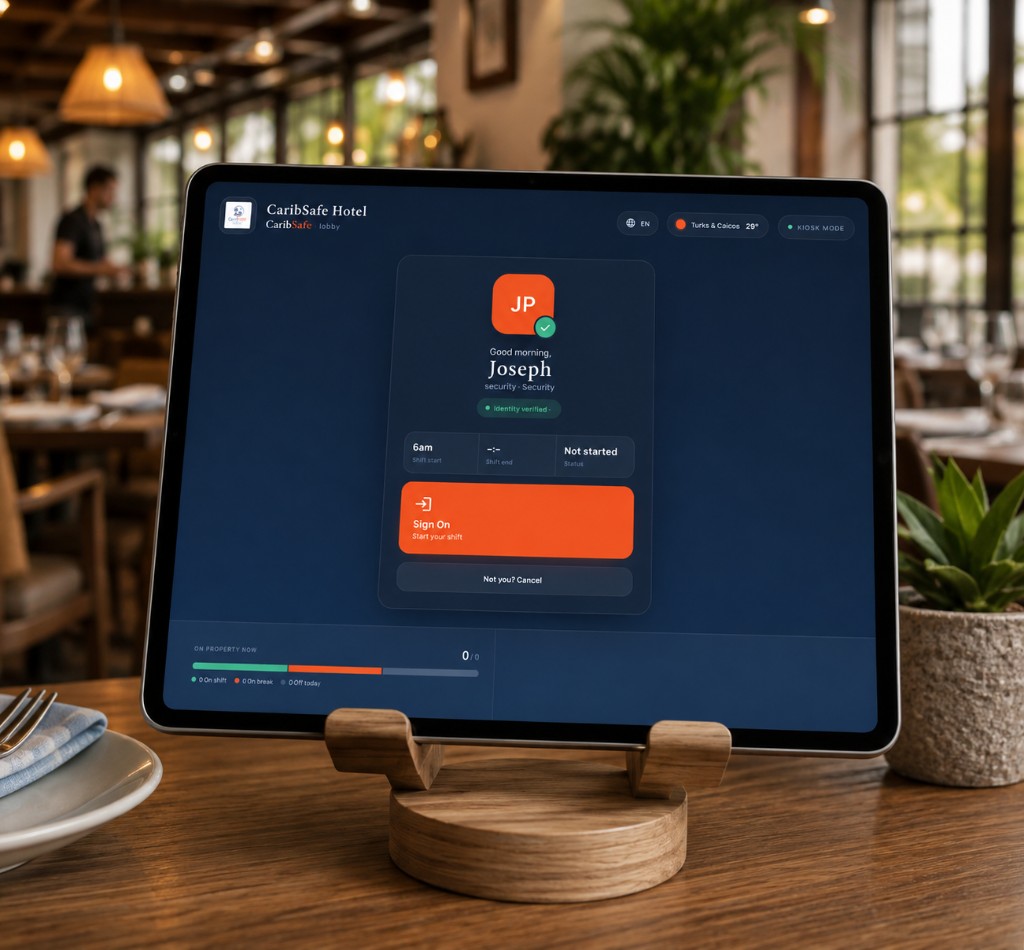
CaribSafe Kiosk on a tablet in a restaurant, staff sign-on screen
Everything a Hotel Sign-On Station Needs
PIN Sign-On
Secure staff authentication
Breaks
Self-serve when policy allows
Offline Queue
Punches sync when back online
QR Pairing
One-time portal setup
Manager PIN
Controlled station settings
Sign-On

Fast PIN sign-on with instant confirmation

Tap the attract screen, enter a personal PIN
Choose sign on, sign off, or break
A clear confirmation screen closes the loop
No personal phone, no paper log
CaribSafe Kiosk break ended, back on shift confirmation
Breaks

Self-serve breaks at the same station

Start and end breaks when enabled
Fewer radio calls to supervisors for every pause
Every action timestamped to property time zone
Sent straight to the portal your managers use
EN

English

FR

Français

ES

Español

HT

Kreyòl Ayisyen

Languages

Multi-language for real teams

English, French, Spanish, and Haitian Creole
Staff pick the language they use at the globe menu
Session starts in your property default language
Built for Caribbean teams who switch languages every shift
CaribSafe Portal Sign-on Stations settings
Pairing

Portal pairing in minutes

Generate a one-time code or QR in Portal Settings
Scan or enter the code on the iPad
The station links to your tenant and property
Property name and logo sync from your portal
Property notice

You’re part of what makes this place feel right. Thank you for showing up.

Property notice

You’re part of what makes this place feel right.

Property notice

Thank you for showing up.

Work Offline

Broadcast important announcements that never get missed

Send a property notice to every sign-on station instantly
Important messages stay on the idle screen until staff see them
Rotate broadcasts from your portal for the whole property
Punches still queue offline and sync when the network returns

What changes when the kiosk goes live

Faster shift starts
At peak changeover, without a queue at a shared phone.
Cleaner attendance
For payroll and audits, with no manual reconciliation.
One workforce stack
With CaribSafe Portal, People, and Ops.

Built for the people who run the house

Hotels & resorts
Lobby and BOH stations for large teams
Boutique hotels & villas
One shared iPad, clean attendance data
Multi property groups
Tenant-scoped stations for each property's punches
HR & front office
Fewer disputes, clearer punch history
Department heads
Faster shift starts, fewer forgotten clock-ins

Live in four steps

1
Add a station in Portal, create a Sign-On Station and generate a fresh pairing code
2
Pair the iPad, open CaribSafe Kiosk, scan the QR or enter the code, the device locks to your property
3
Place it where staff enter, lobby, staff entrance, HR, or back of house
4
Staff use it every shift, tap, PIN, sign on / off / break, confirmed
Part of the CaribSafe Workforce Platform

Put a real sign-on station on your property

Replace shared phones and paper punches with an iPad kiosk your team can trust every shift.

Requires CaribSafe Portal · iPad recommended · PIN sign-on available now